logo
GIF Compressor TOOL

GIF Compressor for Discord, Web & Social | Desktop App

Shrink GIF files for Discord, websites, and social media on your Mac or Windows computer. Fast offline compression with a free 3-day trial.

GIF Compressor tool is available in our desktop app for macOS and Windows with a free three-day trial.

Loved by 1000+ People

Pimosa logo

Pimosa is your all-in-one desktop toolkit for Mac and Windows with a clean interface and drag-and-drop simplicity, and your files never leave your device.

  • No upload limits. Process large files locally
  • Works fully offline after install
  • multiple tools for video, photo, audio, and PDF files
  • Batch processing on Mac and Windows
  • User-friendly interface with drag-and-drop simplicity
  • Also on iPhone: essential video and image tools to save storage

How to compress your GIFs?

  • Drag and drop your GIF files or click to select them.
  • Set the compression percentage with the slider (0–100%).
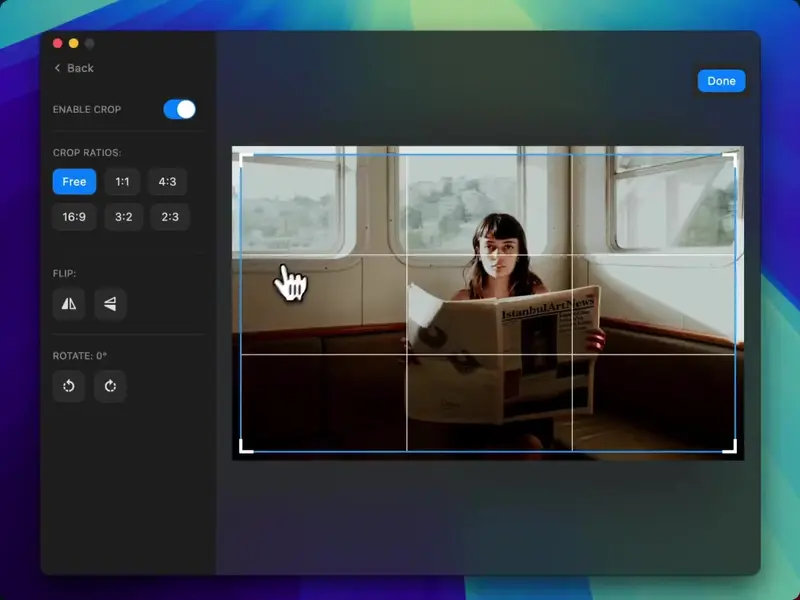
  • Optional: Crop, flip, or rotate GIFs using the built-in editor.
  • Choose to preserve or strip metadata for size control.
  • Select output location (same as input or custom folder).
  • Click Compress to reduce your GIF sizes instantly.

Compress GIFs for Discord (8MB limit)

Discord often limits GIF uploads to 8MB on free servers. Use Pimosa to compress locally before uploading, no browser tool required.

  1. Import your GIF into the GIF Compressor tool.
  2. Increase compression until the output size fits Discord's limit.
  3. Preview the animation to confirm quality.
  4. Export and upload the smaller file to Discord.

Edit GIFs before compression

Crop, flip, or rotate your GIFs with Pimosa's built-in editor, perfect for optimizing animations for web or social media.
video

Questions & Answers

If you have any other questions - please get in touch

Guide to compressing GIFs with Pimosa

Optimize GIFs with Pimosa's desktop GIF compressor. Whether you need a GIF compressor for Discord, web, or email, processing happens offline on Mac or Windows.

Reduce GIF file size for social media by adjusting compression levels while keeping animations smooth, no internet required.

Batch process multiple GIFs in one session. Ideal for creators who need consistent file sizes across a library of animations.

Related tools

More tools in the same category, all included in Pimosa.

Unlock advanced GIF compression with Pimosa

Upgrade for premium features like batch compression, lossless options, and 20+ tools, all offline.

Use code PH10 for exclusive discounts

One Year
For one year use only
$19/Year
  • Works on 1 device only

  • Use for 1 year only

  • 7 days money-back guarantee

Personal
Lifetime access
$29$36
  • Works on 1 device only

  • One-time purchase, lifetime access

  • Lifetime of updates

  • iPhone app included (essential video & image tools, free for a limited time)

  • 7 days money-back guarantee

Extended
Save $23
Best if you own both Mac and Windows machines
$49$72
  • Works on any 3 devices

  • One-time purchase, lifetime access

  • Lifetime of updates

  • iPhone app included (essential video & image tools, free for a limited time)

  • 7 days money-back guarantee

"I bought the beta version, before I used to lookup for Image resizer, video compressor and other tools on google but it's good to have app for it. Awesome work keep bringing more apps like this."
M
Michail Chaykovsky
Reddit/Twitter user

A bundle of powerful tools for the price of one.

No subscriptions. No limits. Just powerful tools you can rely on everyday.

CCCCCCCC

Join these creators!